
Small jobs. Family wins.
Give everyone a part to play. Turn completed chores into points for rewards your family chooses.
Step 1
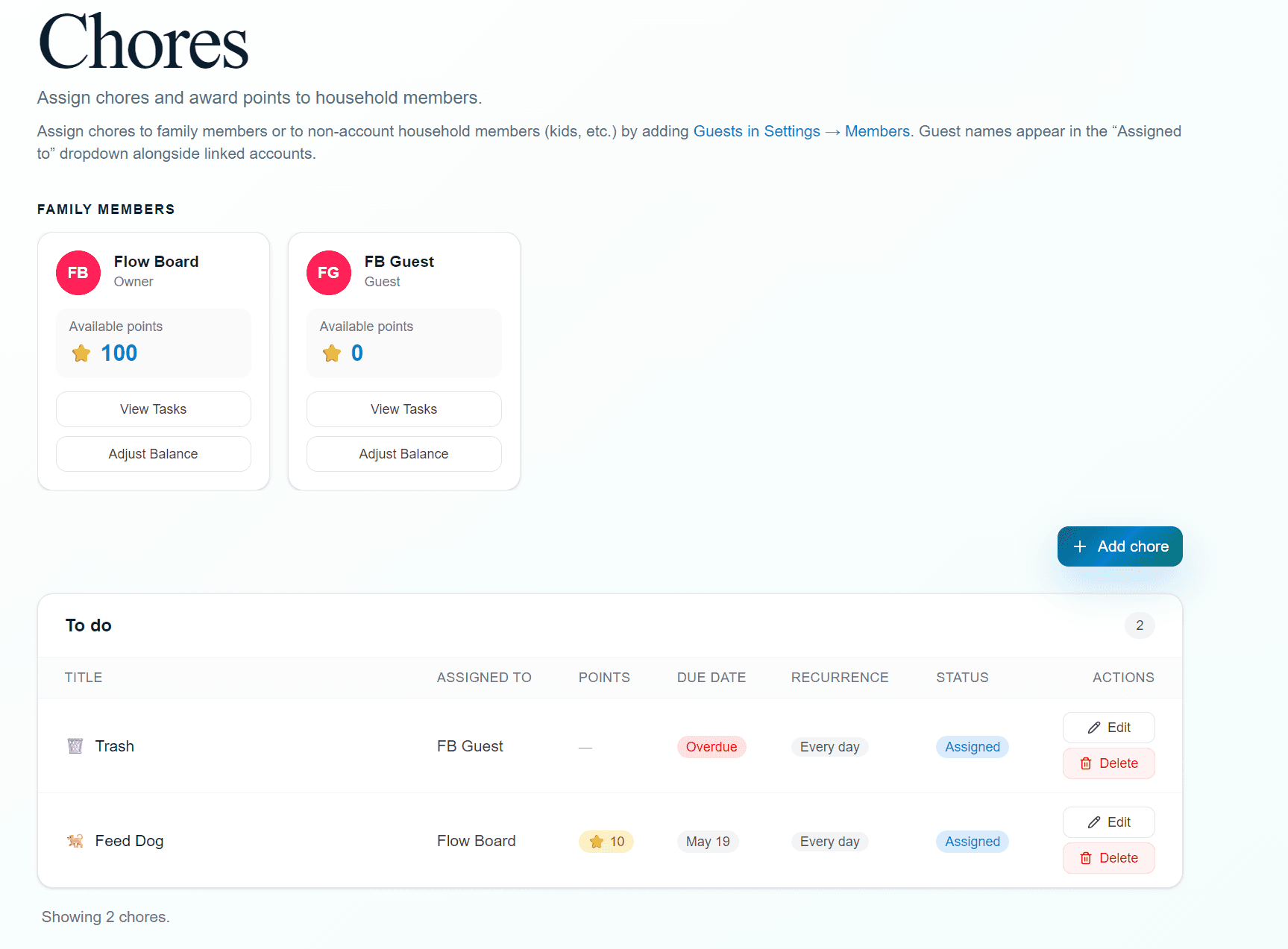
Assign a chore
Say who it belongs to, when it repeats, and what it is worth. Pick daily, weekdays, every week or every other week on a day you choose, monthly, or yearly — or leave it as a one-off.

Step 2
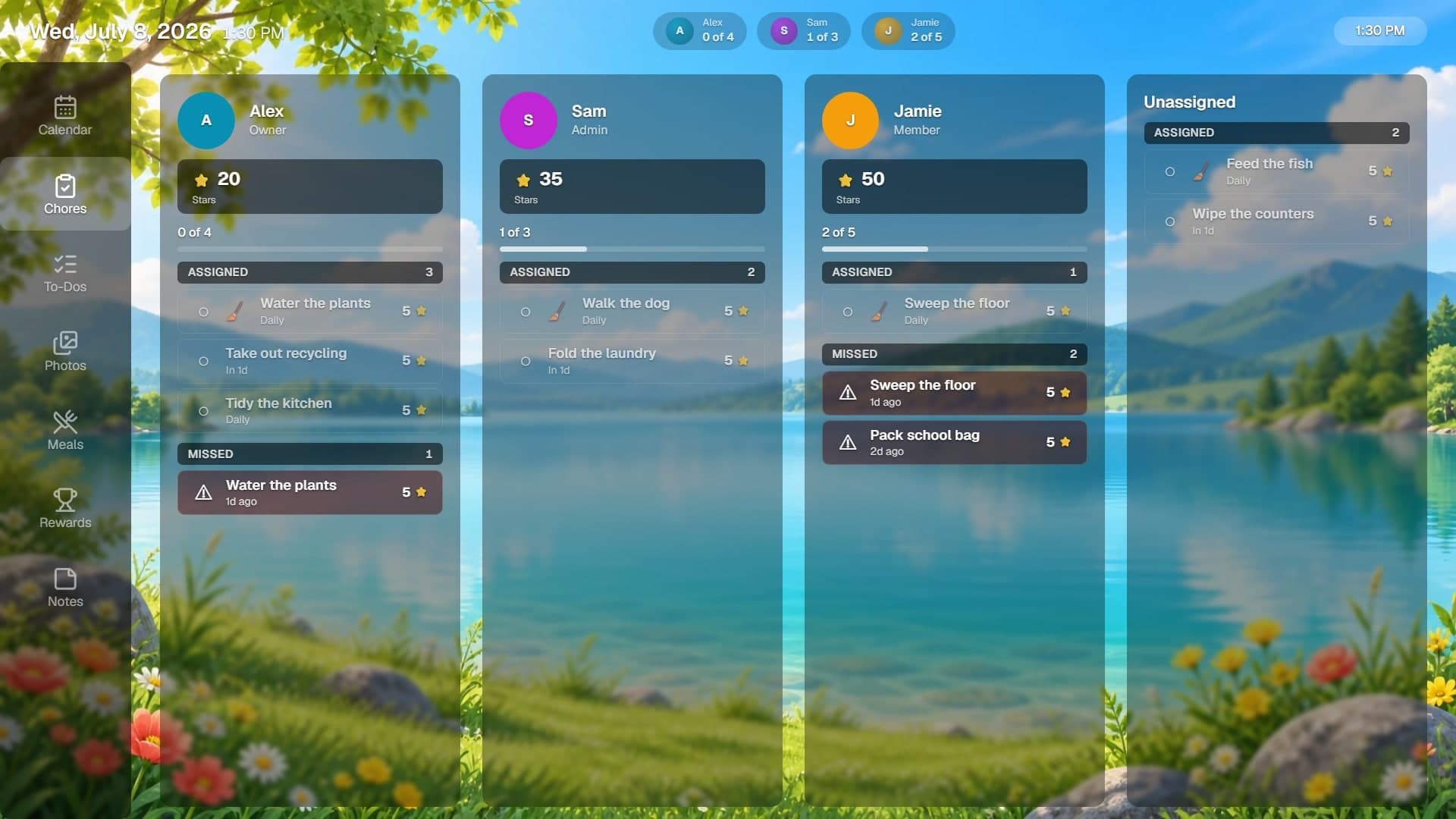
Watch progress
Points land in a member's balance the moment a chore is marked complete, and the running total stays visible on the display as well as the dashboard.
Step 3
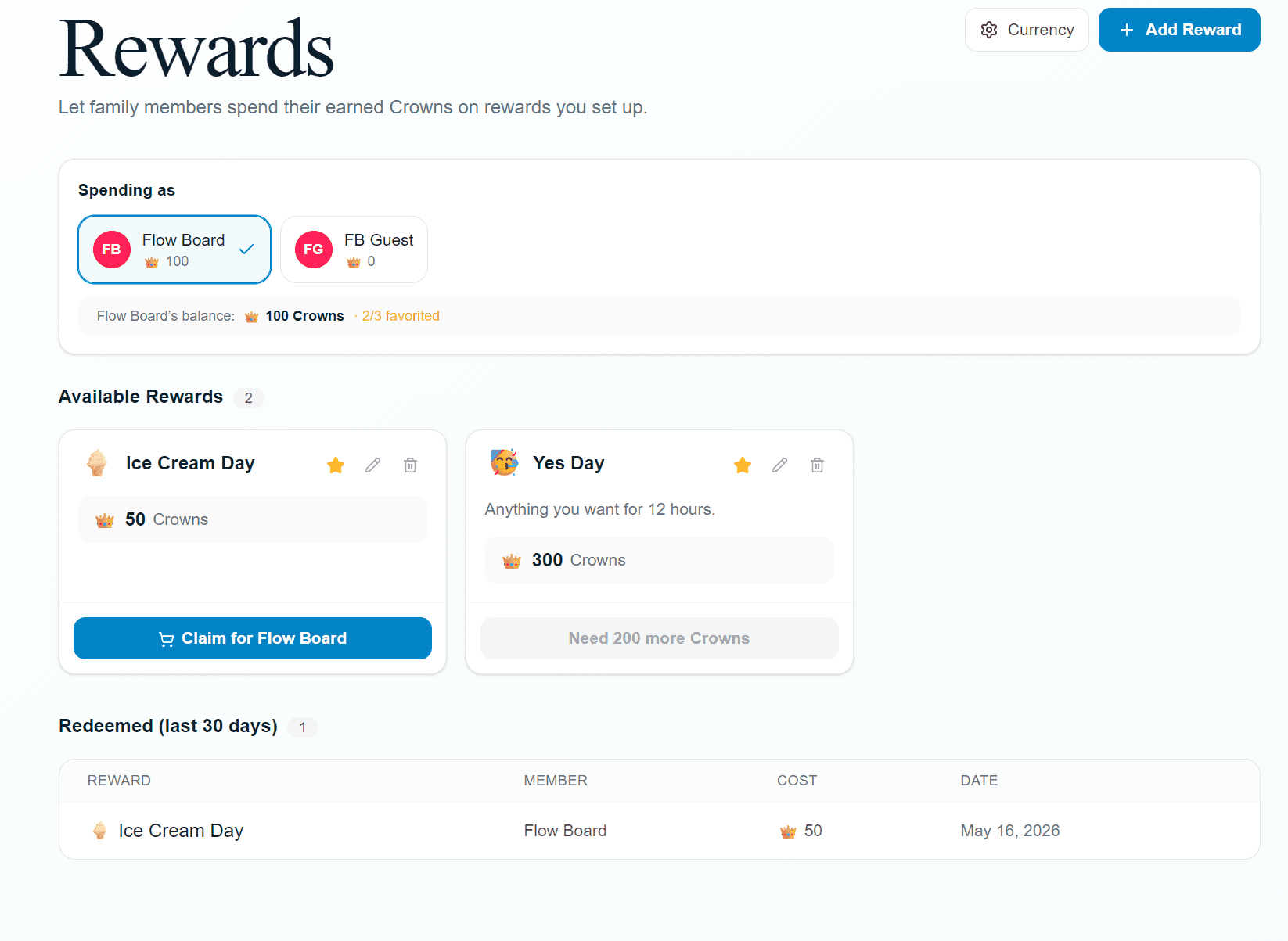
Choose a reward
Your household decides what a balance is worth. Add the rewards that motivate your crew, price them in your own currency, and members redeem them from the reward store.
The details
What can we call our points?
Anything. Name the currency and pick an emoji for its symbol — Gems, Stars, Gold Coins — and it appears everywhere points do: the dashboard, the display, and notifications.
How often can a chore repeat?
Seven choices: does not repeat, daily, weekdays, every week on a day you pick, every other week on a day you pick, monthly, or yearly.
Who can change a balance?
Owners and admins can add or subtract points by hand at any time from the chores page. Points otherwise move only when a chore is completed.
What happens when someone finishes a chore?
The chore is marked complete straight away and the points are deposited, with an Undo on the dashboard if it was a mistake. Family managers get a notification, and tapping a chore on the display plays a short celebration on the TV.
Can we see what happened last week?
Yes. Completions and redemptions are recorded, and the Announcements widget can scroll recent activity on the display alongside anything you post.