All features

Bring your own display

Your screen. Your family board.

No proprietary hardware. No subscription hardware fees. Flowboard runs on the screens you already own: streaming sticks, smart TVs, tablets, iPads, Windows PCs, or a plain web browser. Set it up in minutes.

Smart TVs & streaming sticksAndroid & Fire tabletsiPad & Mac web appWindows PCs & mini PCsAny web browserPair by QR codeLandscape or portraitTouch-enabled checkoffs
Start your free 30-day trial
Google TV StreamerStreaming

Google TV Streamer

Google TVSmart TV

Google TV

Android TabletAndroidTablet

Android Tablet

Windows PCPC

Windows PC

Streaming Devices

Plug in and go

Any streaming stick or box that runs Android TV, Google TV, or Fire OS can run Flowboard. Plug it into any HDMI TV and your family board is on the wall.

Google TV Streamer

Google TV Streamer

4K Google TV with Google Assistant

Google TV

Google TV

Any Google or Android Smart TV

Amazon Fire TV

Amazon Fire TV

Fire TV Stick and Fire TV cubes

Amazon Fire Stick

Amazon Fire Stick

Any Android based Fire Stick

Newer non-Android Fire Sticks not compatible

onn. Google TV

onn. Google TV

Affordable Google TV streaming stick

๐Ÿ“ฆ

No extra hardware cost

If you already own a Fire Stick, Google TV Streamer, or onn. stick, you need nothing else.

๐Ÿ”Œ

Any HDMI TV

Works with any TV that has an HDMI port. Mount the stick behind the TV and it disappears.

๐Ÿ“บ

1080p and 4K ready

Flowboard renders at whatever resolution your TV supports. Calendar text and photos stay crisp.

Tablets

Wall-mount it. Counter it. Touch it.

Android and Fire tablets are perfect portrait displays for kitchens, hallways, and bedrooms. Mount one to the wall or prop it on a counter and it becomes a dedicated family hub that family members can interact with directly.

  • โœ“Portrait layout optimized for tablet aspect ratios
  • โœ“Tap chores directly on screen to mark them complete
  • โœ“Tap to-do items to check them off without opening a browser
  • โœ“Works with any Android tablet or Amazon Fire tablet
  • โœ“No keyboard or mouse needed
Android tabletAndroid

Android Tablet

Any Android tablet via Google Play

Amazon Fire tablet

Amazon Fire Tablet

All Fire HD models via Amazon Appstore

Windows mini PC

A compact Windows mini PC drives the display from behind the TV

Windows PC

A mini PC hidden behind the TV

A compact Windows mini PC plugged into any TV delivers a full desktop-class display experience. The Flowboard Windows app from the Microsoft Store runs full-screen on boot with no browser chrome visible.

  • โœ“Dedicated Windows app available now on the Microsoft Store
  • โœ“Runs full-screen on startup, no browser visible
  • โœ“Supports 1080p and 4K displays
  • โœ“Works with any HDMI or DisplayPort TV or monitor
  • โœ“Small enough to mount behind a TV with a VESA adapter

iPad & Mac

Have an old iPad? Put it on the wall

Flowboard runs on iPad and Mac as a web app, so there is no app store download. Scan a QR code from your dashboard, add Flowboard to your home screen, and it opens full screen like an app. A spare iPad makes a great kitchen counter or hallway board.

  • โœ“Works in Safari on iPad and Mac, no app store needed
  • โœ“Launches full screen from its own icon, no browser bars
  • โœ“Keeps the screen awake while your board is up on recent iPads and Macs
  • โœ“Portrait or landscape, wall mount or counter stand
1

Get your display link

Sign in at flowboard.family, open Settings, then Devices, and use the Web display card to get your display link and QR code.

2

Open it in Safari

Scan the QR code with the iPad camera, or open the link in Safari on a Mac.

3

Add it to the home screen

Tap the Share icon, then choose Add to Home Screen on iPad or Add to Dock on Mac. Flowboard launches from the new icon and runs full screen with no browser bars.

Get the app for your device

Available now on the Microsoft Store and Amazon Appstore. Coming soon to Google Play.

Layout

Landscape for TVs. Portrait for tablets.

Switch between landscape and portrait in Display Layout settings. Every widget reflows automatically to fit the orientation you choose.

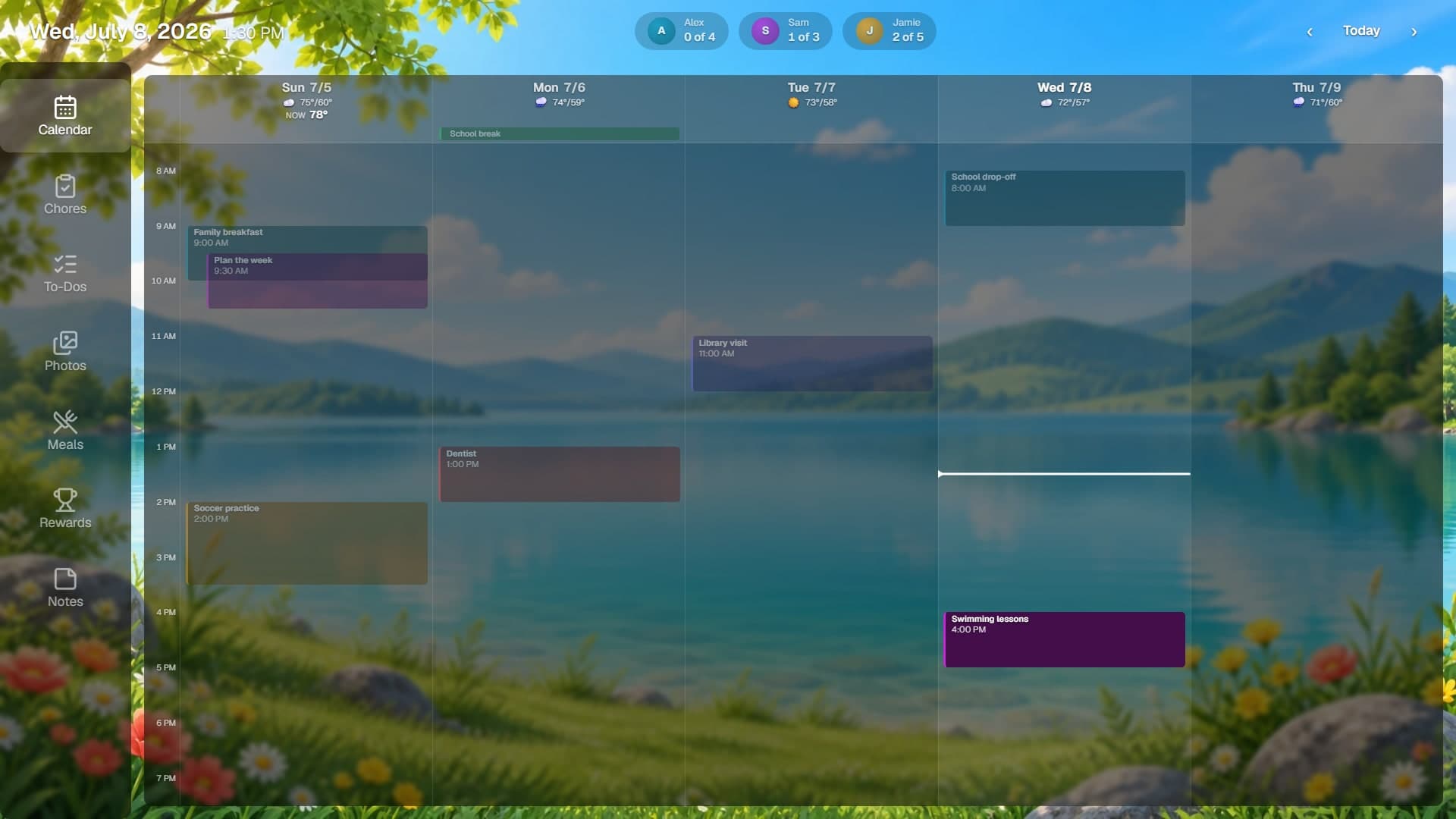
Landscape Flowboard display with calendar, weather, chores, and countdown

Landscape layout, ideal for wall-mounted TVs and monitors

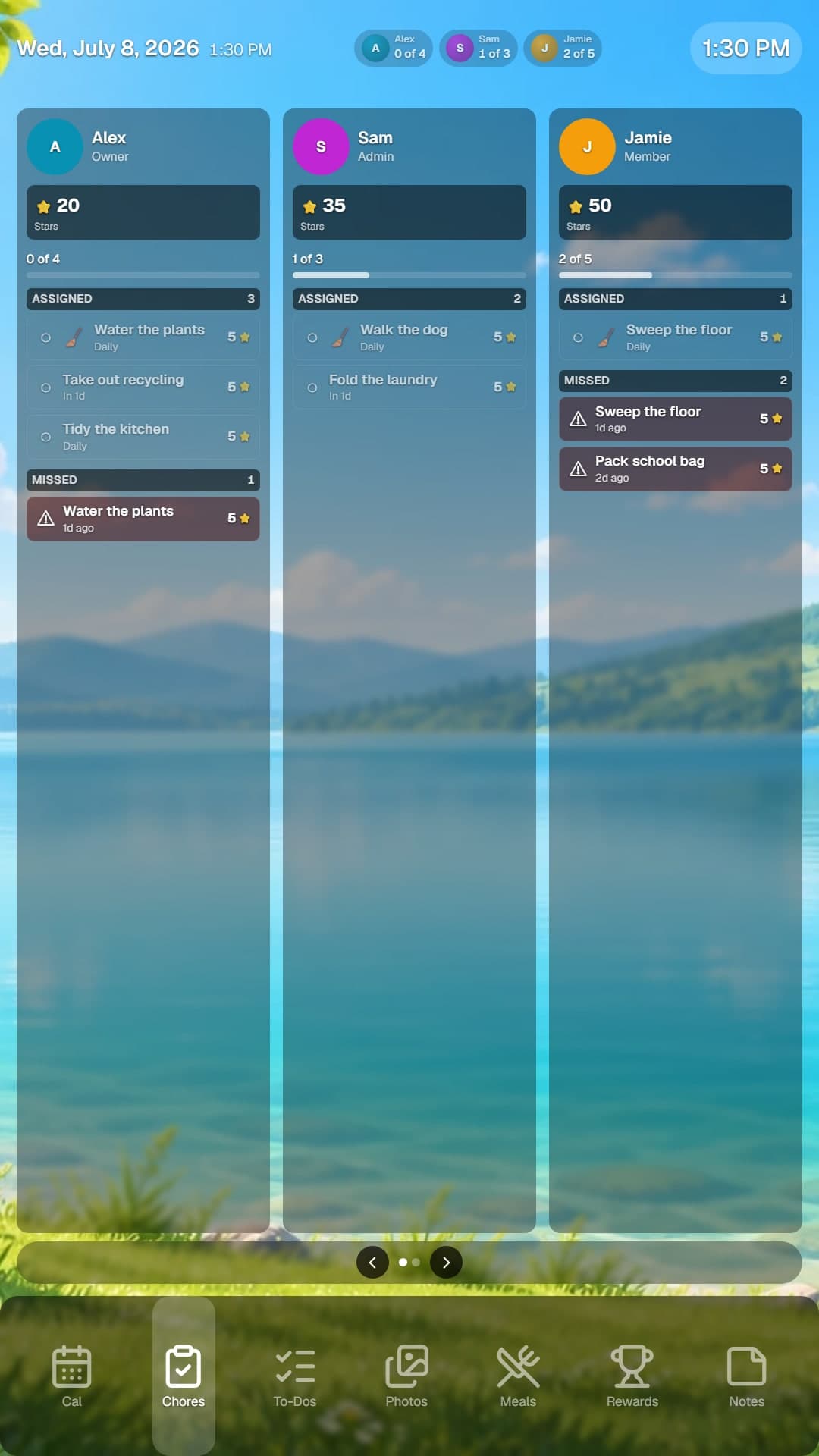
Portrait Flowboard display with weekly calendar, chores, and rewards

Portrait layout, ideal for wall-mounted tablets and kitchen counters

Design it exactly how you want

The Display Layout editor makes arranging your board effortless from any phone or computer.

๐Ÿงฒ

Snap into alignment

Drag a widget and it snaps to the others and to the screen center, with guide lines so everything lines up cleanly.

โœณ๏ธ

Arrange several at once

Select multiple widgets to move, space, and align them together, then undo or redo any change.

๐Ÿ–ฅ๏ธ

A full-size canvas

The editor fills your screen, so you see exactly what the TV will show while you build the layout.

Up and running in three steps

No cables to run. No accounts to create on the TV side.

1
๐Ÿ“บ

Install on your screen

Download Flowboard on your Fire Stick, Google TV device, tablet, or Windows PC. Open it and a pairing code and QR code appear.

2
๐Ÿ”‘

Scan to pair from your phone

Scan the QR code on the screen with your phone and the display pairs in seconds. You can also sign in at flowboard.family, go to Devices, and enter the code from any browser.

3
๐ŸŽจ

Customize and go

Pick a starter layout, tweak your widgets, set a background, and your family board is live on the wall.

Ready to put Flowboard on your wall?

30-day full-access trial. No credit card needed. Your screen, your board.

Start free trial